How it works
From install to insight, in seven deliberate steps.
Every step is designed around one rule: Sclerite understands only what you authorize, and it always shows its work.
Install Sclerite
Download and install Sclerite for Windows. Setup runs locally on your machine.
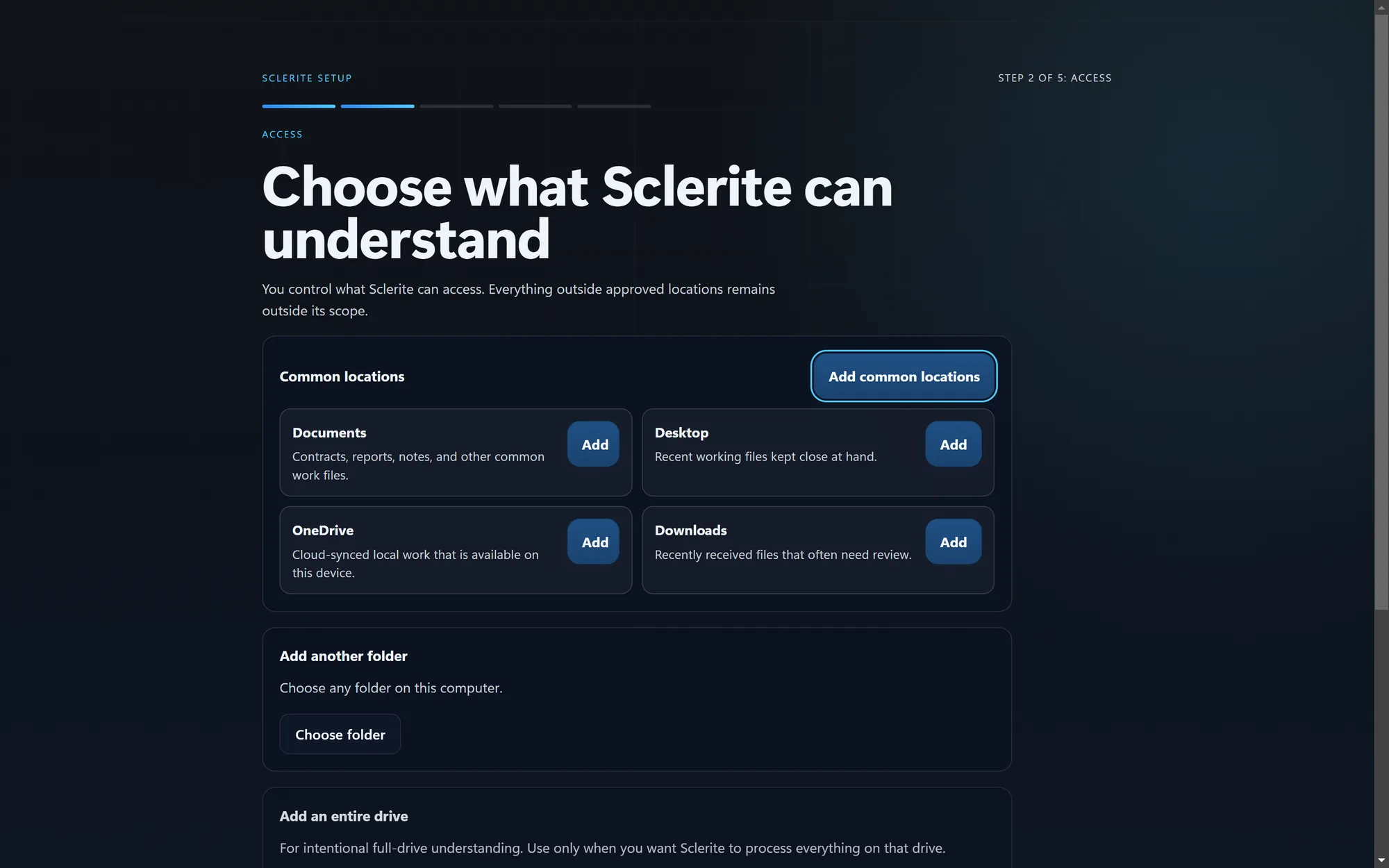
Choose what Sclerite may access
Authorize the folders you want understood — Documents, Desktop, a project folder, or any location you choose. Nothing outside what you approve is in scope.
Sclerite builds local understanding
Authorized files are indexed on this device, so Sclerite can find, connect, and explain what's inside them.
Ask questions
Ask a direct question in plain language and get an answer grounded in your authorized sources.

Sclerite Workspace
Ask
Ask Sclerite
Direct answer
Net-30 from delivery. The most recent revision moved this from the prior 15-day term.
Evidence
Johnson Contract.pdf
Strong evidence“Payment shall be due net thirty (30) days from the date of delivery…”
Review the evidence
Every grounded answer links back to the exact document it came from — open the file, reveal it in its folder, or review it in Library.
See what changed or deserves attention
Today and Watch surface meaningful changes, approaching deadlines, and items worth a decision — without you having to go looking for them.
Sclerite Workspace
Watch
Quiet monitoring
Important changes find you.
Changed
Conflict
Approaching
Still open
Stay in control
Review, exclude, or remove any authorized source at any time from Library or Settings. Changes take effect immediately.
Sclerite Workspace
Library
Sources you control
Authorized, visible, and removable.
Project Files — Documents
412 items indexed
Client Contracts
38 items indexed
Personal Photos
Not granted
Old Client Folder (2022)
Access revoked